
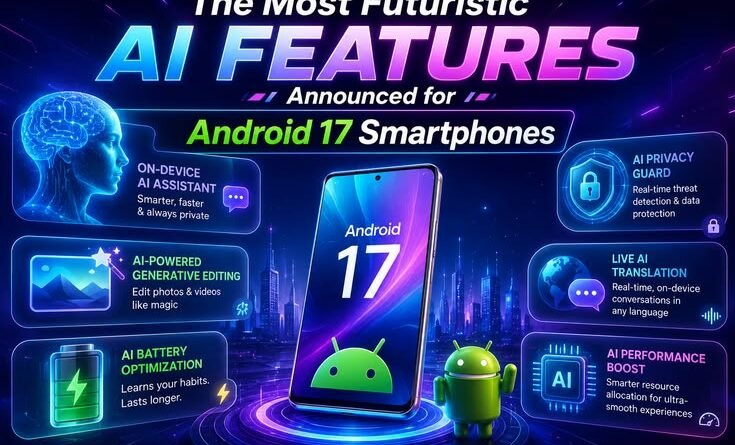
The Most Futuristic AI Features Announced for Android 17 Smartphones
By a tech blogger who’s been living in Android beta builds since February
My phone booked me a fitness class last week. I didn’t touch the screen once.
I know how that sounds. Six months ago, I would’ve rolled my eyes at that claim too. But here I am, sitting with an Android 17 beta build on my Pixel 10, genuinely trying to wrap my head around what just happened to my phone’s operating system. Because “smartphone update” doesn’t quite cover it anymore. Google isn’t shipping a software patch — they’re trying to turn your Android device into something closer to a personal assistant that actually does things, not just answers questions.
I’ve been through enough Android releases to know the hype cycle. Big promises at I/O, features that don’t land for months, rollouts that skip half the device lineup. So when Google held “The Android Show: I/O Edition” on May 12, 2026, I watched with the healthy skepticism of someone who set a Pixel 4 on fire trying to flash a custom ROM in 2020.
But honestly? Some of what they announced surprised me. Let me walk you through the features that actually matter — and a few caveats you should know before getting too excited.
First, the Big Idea: Android Is No Longer Just an OS
Google made a point of saying something at The Android Show that stuck with me: they’re transitioning Android from an operating system into what they’re calling an “intelligence system.” That’s not just marketing fluff.
The difference is subtle but important. An OS runs your apps. An intelligence system can move between your apps, understand what you’re trying to accomplish, and carry out multi-step tasks without you babysitting every tap. That’s the vision behind Gemini Intelligence — the umbrella name for the AI features that form the core of Android 17.
Think of it less as “Google Assistant got smarter” and more as a genuine co-pilot for your phone. The assistant doesn’t just tell you; it does.
Gemini Intelligence: The Phone That Actually Does Stuff For You
The headline feature of Android 17 is multi-step App Automation, and it’s the thing I’ve been testing the most.
The demo Google showed during the keynote involved pulling up a shopping list in Notes, long-pressing the power button, and having Gemini build an entire shopping cart for delivery — without opening a single store app. I thought that was cherry-picked for stage effect. Then I tried something similar, and it… worked.
Here’s what’s actually happening under the hood: Gemini can now navigate across your apps to handle complex, multi-step tasks on your behalf. You can ask it to check your Gmail for a class syllabus and add the required books to a cart. You can snap a photo of a hotel brochure and ask Gemini to find a similar tour package for a group of six people on a travel app. It works in the background, sends you updates, and — critically — still asks for your confirmation before anything is actually purchased or posted.
That last part matters. This isn’t your phone going rogue. You’re still the one approving the final action. But the twenty taps that used to sit between “I want to do this” and “it’s done” are largely gone.
The mistake most people will make: Trusting it too quickly for anything financial. I’d suggest treating it like a capable-but-new intern for the first month. Let it do research and prep work, but double-check before it touches your wallet.
Create My Widget: The Feature I Didn’t Know I Needed
This one genuinely surprised me, and I think it’s going to become the feature that gets screenshotted and shared the most.
Create My Widget lets you build personalized home screen widgets using plain text prompts. Not a dropdown of pre-made options. You literally describe what you want and Gemini builds it.
Want a widget that shows three high-protein meal prep ideas every week, pulling from recipes you’ve saved in Keep? Done. Want a unified work dashboard that shows your next meeting, unread priority emails, and your commute time based on your current location? You can make that. What about a countdown to your daughter’s birthday that also shows the weather forecast for that day? That too.
The same feature works for Wear OS tiles, so your smartwatch can show a genuinely custom data surface — not just the four options that came pre-installed.
I built a widget that tracks my hydration reminders and syncs with a note where I log water intake. It took me about 40 seconds to describe, and another 15 for Gemini to generate it. The old me would’ve spent an hour looking through widget apps on the Play Store and settled for something 70% of what I wanted.
One caveat: the widgets pull live data from Google apps — Gmail, Calendar, Keep, Maps. If you live outside the Google ecosystem, you’ll get less out of this feature than someone who uses Google’s suite daily.
Rambler: Voice Dictation That Actually Listens Like a Human
I’ve tried to use voice dictation on Android for years. I’ve also given up on voice dictation on Android for years. The transcript always ended up looking like stream-of-consciousness poetry: “um so the thing is like the meeting is at three no wait four and I need to tell Sarah to uh bring the presentation.”
Rambler is a new AI dictation engine built into Gboard, and it’s specifically designed to fix this. It filters out filler words. It handles self-corrections — if you say “send this to Priya, wait, no, send it to Ananya,” Rambler figures out that Ananya is the intended recipient. It even handles multilingual switching mid-sentence, which is a genuine daily use case for hundreds of millions of Android users who naturally mix languages when they speak.
For Pixel devices, this is rolling out as part of Android 17. Samsung and other OEMs will get their version later.
I’ve been using the beta and the difference is noticeable. It’s not flawless — it occasionally misses context on rapid corrections — but it’s the first voice input on Android I’ve actually kept turned on.
Gemini in Chrome: Your Browser Can Now Book Parking Spots
This one feels almost mundane to describe, but think about how much friction it removes from daily life.
Auto Browse in Chrome for Android lets Gemini handle repetitive online tasks through the browser. The example Google gave was having it pull event details from an email and then reserve parking near the venue — without you opening three different tabs, copying an address, finding a parking app, and going through the checkout flow manually.
Gemini in Chrome can also summarize webpages, compare products across multiple sites, and help you research topics without you bouncing between tabs. You can tell it to save recipe ingredients directly to Google Keep, add an event to Calendar, or search for specific things inside your Gmail — all from within the browser, without leaving the page you’re on.
Is this revolutionary? Maybe not on paper. But the compounding effect of removing five small friction points per day adds up to something meaningful over time. That’s the bet Google is making with this whole release.
Intelligent Autofill: Forms That Fill Themselves (Almost)
Nobody likes filling out forms. Android 17’s Intelligent Autofill is a Gemini-powered upgrade to the existing autofill system that can handle more complex forms using context from your connected apps.
The difference from the old autofill is that it’s not just pattern-matching your name and address. It can pull relevant information from your Gmail, Calendar, or other connected sources to fill in fields that old autofill would’ve left blank. Insurance forms, travel booking flows, bureaucratic paperwork — the kind of stuff where you’d normally spend ten minutes copying information from one place to another.
Importantly, this is opt-in. You can turn it off entirely in settings if you’re not comfortable with it pulling from your apps. Google has been leaning hard on “you’re always in control” messaging around these features, and the autofill settings actually do give you granular control.
Pause Point: The Anti-Doom-Scrolling Feature With Teeth
Every Android release has some kind of digital wellbeing feature. Usually I ignore them within a week. Set a timer, get a gentle nudge, swipe it away, keep scrolling.
Pause Point is different, and I say that as someone who has dismissed every screen time tool I’ve ever tried.
Here’s how it works: you mark certain apps as distracting. Whenever you open one of them, Android shows a 10-second pause screen before letting you in. During that pause, it might show you a breathing exercise, a favorite photo, an audiobook suggestion, or let you set a usage timer before entering the app.
What makes it stick is this: Pause Point requires a full phone restart to switch off.
That sounds extreme until you realize it’s the entire design philosophy. Every other screen time tool can be dismissed in two taps. I learned to ignore the Instagram timer within a week of setting it because the friction was zero. Pause Point makes the exit costly enough that you’ll actually pause.
I’ve had it running for two weeks. I’ve restarted my phone to get around it twice — both times, the act of restarting made me reconsider whether I actually needed to scroll at all. That’s the point.
On-Device AI Security: The Features Working Quietly in the Background
Android 17 also brings a meaningful upgrade to Live Threat Detection — the on-device AI that monitors your apps for suspicious behavior. It now watches for things like apps secretly forwarding your SMS messages, using accessibility features without your consent, or behaving in ways that suggest spyware.
Chrome on Android will also start analyzing APKs you try to download against known malware databases before letting the download proceed. If you’ve ever accidentally downloaded a sketchy APK from a random website (I have, more than once, in my early Android days), this is a meaningful safety net.
These aren’t flashy features you’ll demo to friends. But they’re the kind of thing you’ll be grateful for quietly in the background.
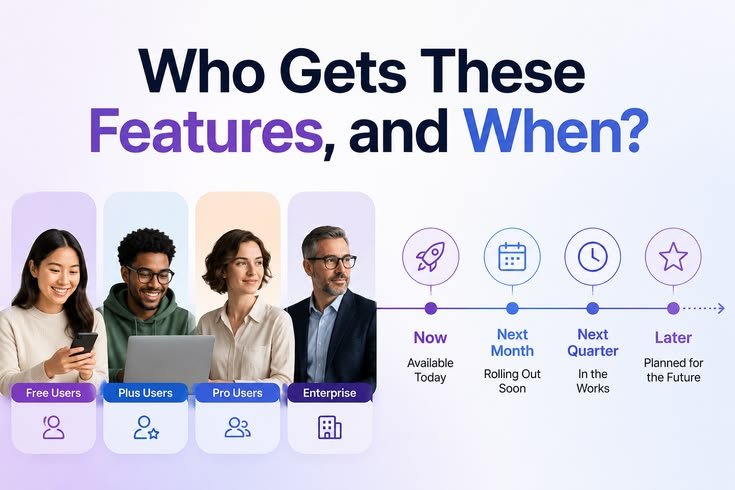
Who Gets These Features, and When?
This is where Android being Android means you need to manage expectations.
Gemini Intelligence is rolling out first on Google Pixel 10 and Samsung Galaxy S26 devices. Other Android phones from Samsung, OPPO, OnePlus, Vivo, Xiaomi, and Honor will follow over the course of 2026. The stable Android 17 build is expected to land on Pixel devices in June 2026, with One UI 9 (Samsung’s flavor) coming later in the year.
If you have a Pixel 9 or Galaxy S25, you’ll get a lot of this — but not necessarily everything at launch. If you’re on older hardware, check your manufacturer’s update timeline before getting too excited.
One thing worth knowing: Google hasn’t been fully transparent about which parts of Gemini Intelligence run on-device versus in the cloud. On-device Gemini Nano handles some tasks locally, but the complex multi-app agentic features almost certainly require an internet connection. For users in areas with spotty connectivity — or anyone with strong privacy concerns — that’s worth keeping in mind.
What I’m Actually Watching For
The features look good. The demos were convincing. But I’ve been around long enough to know that “shown on stage at Google” and “works reliably for regular people in six months” are two different things.
The things I’ll be paying attention to:
Battery life — Agentic AI running tasks in the background has to touch the CPU. Google says it’s efficient, but I’ll believe the independent battery benchmarks.
Privacy in practice — The on-device vs. cloud split for agentic tasks is still murky. Google needs to publish clearer documentation about what stays on your device and what travels to their servers.
Third-party app support — A lot of these automation features will only shine if apps outside Google’s ecosystem cooperate. Booking a fitness class through Gemini is useful. Booking through 90% of the apps that aren’t Google-owned is a different story.
The fragmentation problem — Android 17 is coming to Pixel in June. But “coming to all Android phones” in Google’s world historically means a staggered rollout that takes 12–18 months to reach most users. If your daily driver isn’t a Pixel or Galaxy S-series, your timeline is genuinely unclear.
Final Thoughts
What Google is building with Android 17 is genuinely interesting. Not because any single feature is jaw-dropping in isolation, but because they’re all pointing in the same direction: a phone that understands what you’re trying to accomplish and takes care of the mechanical parts for you.
The shift from “assistant that answers” to “assistant that acts” is real, and it’s the most significant change in how we interact with Android since the introduction of swipe keyboards.
The honest question isn’t whether these features are impressive — they are. It’s whether the execution will hold up when 3 billion Android users start actually using them in the messy, inconsistent conditions of real life. That’s the test Google has to pass.
I’ll be running Android 17 as my daily driver through the summer. If anything blows up — or if something works better than expected — I’ll update this. In the meantime, if you’re on a Pixel and curious: the beta is available at android.com/beta, and it’s surprisingly stable for a pre-release build.
Testing conducted on Pixel 10 running Android 17 Beta 4. Feature availability may vary by device and region. Some features mentioned are announced but not yet in the current beta build.