
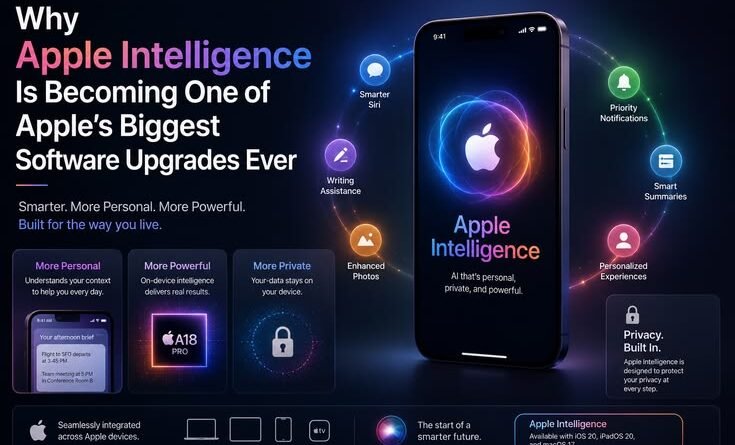
Why Apple Intelligence Is Becoming One of Apple’s Biggest Software Upgrades Ever
Last October, I enabled Apple Intelligence on my iPhone 16 Pro almost by accident. I was updating iOS, saw the toggle, tapped it on without really thinking about it, and went back to scrolling Twitter. Classic move. Two weeks later, I realised my phone felt different — not in a “new wallpaper” kind of way, but in a way that was genuinely hard to put my finger on at first.
The writing suggestions in Mail were actually good. Siri, for the first time in years, understood what I meant rather than what I said. And the notification summaries — okay, those needed some work early on, but even those improved noticeably as the months went on. Something had shifted.
If you’ve been skeptical about Apple Intelligence (and honestly, many people were, me included), I want to walk through exactly why this is turning into something much bigger than Apple’s usual “here’s a shiny new feature” moment — and why it might be the most significant software upgrade Apple has shipped since the App Store itself.
Let’s Be Honest About Where Siri Was Before This
Before we get into what Apple Intelligence actually does well, we have to acknowledge the elephant in the room: Siri has been a running joke for years. Not an unfair one, either. I’ve had Siri confidently tell me there were “no results found” for a restaurant that was literally across the street. I’ve watched friends switch to Google Assistant just to avoid the frustration. Siri had become the friend who always means well but somehow messes up the simplest tasks.
Apple knew this. Internally, they clearly knew this. Which is probably why when Apple Intelligence started rolling out as part of iOS 18 in late 2024 and into 2025, they didn’t try to just slap a chatbot on top of Siri. They rebuilt things deeper than that — or at least, that’s what the results suggest.
The single biggest difference with the new Siri isn’t that it’s smarter in the abstract — it’s that it finally understands context. Not just words. Context.
Ask the new Siri to “send that photo from last Tuesday to Mum” and it actually goes and finds the photo from last Tuesday. Ask it to “read my last message from the group chat and reply that I’ll be late” and it does exactly that, without you needing to open a single app. These might sound like small things. They’re not small things. They’re the difference between a voice assistant that’s a party trick and one that actually saves you time.
What Apple Intelligence Actually Includes — And What Matters Most
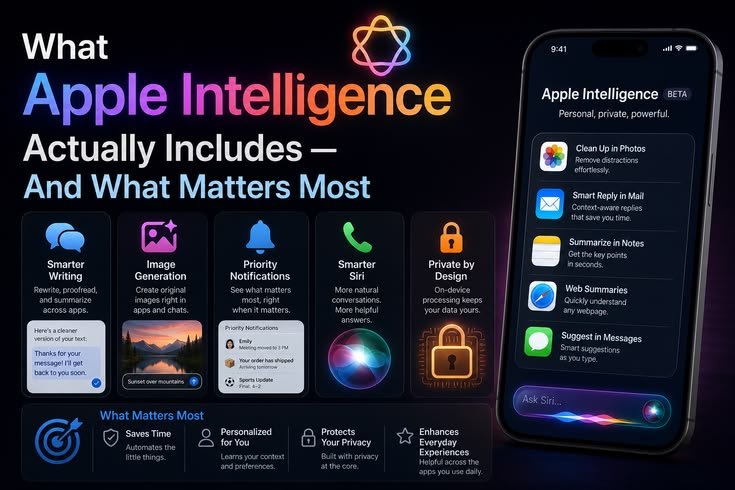
Here’s where a lot of the coverage gets muddled, because Apple Intelligence is really a bundle of different features, not one single thing. Let me break down the parts that have genuinely made a difference in day-to-day use.
Writing Tools — Available system-wide, these let you rewrite, proofread, and adjust the tone of anything you’ve typed, whether you’re in Mail, Notes, Messages, or a third-party app. This is the feature I use every single day without exception.
Notification Summaries — Groups and condenses your notifications so your lock screen isn’t an overwhelming wall of pings. Hit or miss when it first launched, considerably better now.
Image Playground & Genmoji — Create custom images and emoji from text descriptions. Genuinely fun, and surprisingly gets used in real conversations once you try it.
Siri with Personal Context — The big one. Siri can now act on information from across your apps, messages, and calendar without you having to spell out every detail. This is what makes it feel meaningfully different from the old Siri.
Private Cloud Compute — For heavier tasks that can’t run entirely on-device, Apple routes processing through its own secure cloud infrastructure rather than third-party servers. The privacy-first design is real, not just a marketing slide.
ChatGPT Integration — For questions that exceed Siri’s scope, you can optionally hand off to ChatGPT. Crucially, it requires your explicit confirmation every single time, not a background data pipe running quietly.
Of these, the Writing Tools and the upgraded Siri are the ones that have genuinely changed my daily habits. Image Playground is fun for the first week and then becomes more situational. The notification summaries are useful once you stop expecting perfection.
The Writing Tools Changed How I Use My iPhone for Work
I’ll be direct: I write a lot on my phone. Emails to editors, quick pitches, client messages. Before Apple Intelligence, writing on iPhone meant either typing out a half-decent message and hoping for the best, or drafting something in Notes first. It was fine. Not great — fine.
Now there’s a small toolbar that appears whenever I select text anywhere in the system. I can tap “rewrite,” choose a tone — professional, friendly, concise — and get a reworked version in seconds. I can proofread without switching apps. I can make something shorter without losing the meaning.
The first time I used it to clean up a rushed email to a client — genuinely messy draft, written on the bus — and it came back polished and clear, I actually laughed out loud. Not because it was magic. Because it was just good. Useful. The kind of useful that makes you forget you’re using AI at all.
Tip: Don’t use the rewrite option as a replacement for writing. Use it as an editor. Write your rough thoughts, then let it tighten things up. The output is consistently better when there’s real content to work with rather than two vague sentences.
What About Privacy? This Was My Biggest Hesitation
I stalled on enabling Apple Intelligence for about a week, if I’m being straight with you. The question that kept stopping me was: where is this processing happening, and who actually sees it?
Apple’s approach is worth understanding here, because it’s genuinely different from how most AI features work. The majority of Apple Intelligence processing happens entirely on the device — on the Neural Engine inside your A17 Pro, M1, or newer chip. Your writing, your messages, your photos: processed locally, not uploaded anywhere.
For more complex tasks that need more compute, Apple built what they call Private Cloud Compute. The short version is that processing happens on Apple’s servers, but it’s designed so that even Apple itself can’t see your data. Independent researchers have been able to verify portions of this architecture. Is it 100% perfect? Nothing is. But compared to handing everything to a general-purpose AI company, it’s a meaningfully more considered approach.
The ChatGPT integration requires your explicit confirmation every time it’s invoked. It’s opt-in per query, not an always-on background pipe. That distinction matters more than it might sound.
Where It Still Trips Up — The Honest Part
Notification summaries got Apple into some genuinely embarrassing situations when they first launched. There were widely reported cases of summaries misrepresenting news headlines in significant ways — including one that implied a real person had died by suicide when the actual story was about a criminal conviction. Apple responded by disabling AI summaries for news apps in a later update. It was a sharp reminder that AI summarization of high-stakes content is not a solved problem.
Mistake to avoid: Don’t rely on notification summaries for news or anything time-sensitive and consequential. Read the actual article. Summaries work well for grouping social messages and app notifications; they’re not a replacement for real journalism.
Siri’s in-app actions also still have rough edges. Ask it to do something in a first-party Apple app and it mostly delivers. Ask it to do the same thing in a third-party app that hasn’t yet been updated to support the new App Intents framework, and you might get a polite shrug. Developers are catching up, but the ecosystem isn’t fully there across the board yet.
How to Actually Get Started and Make It Useful
If you’re on a compatible device — iPhone 15 Pro or later, or any iPhone 16 model, running iOS 18.1 or above — here’s the practical path:
- Go to Settings → Apple Intelligence & Siri and tap to enable it. You may be on a brief waitlist depending on your region, but most markets are fully open now.
- Let it sit for a day before judging it. Some features take time to warm up — notification summaries in particular get better as the system learns your patterns.
- Start with Writing Tools. Select any text in Mail or Notes, tap the toolbar that appears, and try “proofread” on something you’ve written. This is the feature most likely to show you immediate, obvious value.
- Try a real Siri task — not “set a timer.” Try something like “find that article I was reading about last week” or “what did Priya say in her last voice message.” You’ll quickly feel how different the responses are from the old Siri.
- Check your ChatGPT settings if you want the extended capabilities — Settings → Apple Intelligence & Siri → ChatGPT. You can enable it or leave it off. Either way, you get the full suite of on-device features regardless.
Why This Matters Beyond Just Features
Here’s what I think people are underestimating about Apple Intelligence: it’s not really about the individual features. It’s about what Apple has committed to doing with AI at a system level.
For the first time, there’s an AI layer that sits below your apps — not inside any one app, not in a separate chatbot window you have to switch to, but woven into the actual fabric of how the phone works. When that layer is useful, you stop thinking about it as “AI.” It just feels like your phone got better at understanding you.
That shift — from AI as a distinct tool you consciously choose to use, to AI as something your device does quietly on your behalf — is the actual transformation happening here. And Apple, with its control over both the hardware and software stack, is uniquely positioned to pull that off in a way that Google and Microsoft simply can’t replicate with the same seamlessness.
The real measure of Apple Intelligence isn’t whether each feature is perfect. It’s whether your phone feels more capable six months from now than it does today. And so far, the trajectory says yes.
Where This Goes From Here
Apple is still building. The roadmap includes deeper Siri context awareness, broader third-party app integration, and expanded regional availability. There are features that were announced and still haven’t fully shipped. This is an ongoing rollout, not a finished product.
Which is actually kind of reassuring. It means what you’re using now is the floor, not the ceiling. The notification summary missteps taught Apple something real. The developer community is ramping up on App Intents. The on-device models will keep improving as Apple iterates.
I’ve used a lot of software updates that promised transformation and delivered tweaks. Apple Intelligence feels genuinely different — not because every feature is flawless right now, but because the underlying infrastructure makes meaningful improvement over time very plausible in a way it simply wasn’t with the old Siri architecture.
If you’ve been sitting on the sidelines waiting to see whether this is actually worth your time — the answer, as of mid-2026, is yes. Enable it, give it a week, and pay attention to the moments where you stop reaching to do something manually because Siri just handled it.
Those moments are adding up. Quietly, they’re adding up.
Tested on iPhone 16 Pro running iOS 18.4. All features reflect personal experience over several months of daily use. Your mileage may vary depending on device, region, and which apps you use most.




Pingback: How Apple’s New AI Health Features Could Change the Future of Smartwatches
Pingback: How Smart Glasses From Meta and Apple Could Change Everyday Digital Life – MSR Technical