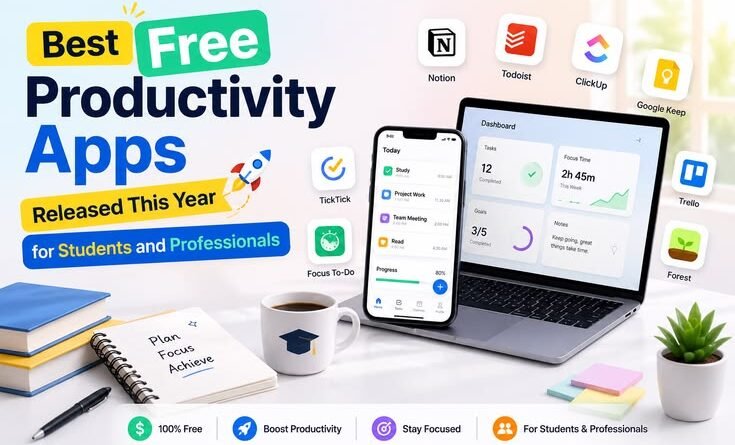
Best Free Productivity Apps Released This Year for Students & Professionals
Best Free Productivity Apps Released This Year for Students and Professionals
No fluff, no paywalled promises — just the tools that actually made a difference when deadlines hit hard.
It started during finals week last semester. I had three papers due, two group projects in progress, and a calendar that looked like someone had dropped a bag of colorful sticky notes on it. I’d been using the same four apps for two years — Notion, Google Calendar, Grammarly, and a random timer app — and somewhere around Tuesday at 2 a.m., I realized my system had completely broken down.
I was taking notes in five different places. My to-dos were split between my phone and a browser tab I kept pinned “just in case.” I missed a meeting because it was in one calendar and my reminders were in another. The apps weren’t the problem exactly — I just hadn’t refreshed my toolkit in a while, and the gap between what I needed and what my setup could handle had quietly grown enormous.
So I spent the better part of the past few months actually testing what’s new. Not just reading roundups — actually using these apps through deadlines, presentations, job applications, and the general chaos of trying to be productive in 2025. Here’s what I kept, what I dropped, and why.
Why This Year’s Apps Actually Feel Different
There’s been a real shift. Apps that launched or got major overhauls this year aren’t just “digital planners.” They’re starting to feel like they understand context — what you’re working on, when you’re distracted, what kind of note you’re actually trying to capture. A lot of that is AI under the hood, but the good ones don’t make you feel like you’re prompting a chatbot just to add a task.
The other big thing: the free tiers have genuinely gotten better. Not the fake “free” that locks everything behind a paywall after day two. Actual, usable free plans that students without a budget can build a real workflow around.
The Apps Worth Your Time Right Now
1. Notion — Still the All-in-One King (and Free for Students) Platforms: Web, iOS, Android, Desktop | Free with student email
I’ve gone back and forth on Notion for years, but 2025 is the year I stopped fighting it. The reason? They finally gave students the full Plus plan free with a school email — and that changes everything. You get unlimited blocks, 30-day version history, and real-time collaboration without paying a cent.
The honest caveat: Notion has a learning curve. I wasted my first two weeks trying to build the “perfect system” from scratch, which is exactly what you shouldn’t do. The move is to grab a template from their community gallery — there are pre-built setups for class schedules, assignment trackers, and research wikis — and just start using it messy. You’ll adapt it naturally over time.
What it actually replaced for me: a separate notes app, a to-do list app, and about 40 scattered Google Docs. Everything for a project — readings, tasks, links, drafts — lives in one page now.
Best for: Students who juggle multiple subjects or projects and want everything in one searchable place.
2. Granola AI — The Meeting Notes App That Doesn’t Feel Awkward Platforms: macOS | Free basic tier | New in 2025
Here’s a problem most people don’t talk about: when an AI meeting bot “joins” your call, people notice. There’s a moment where the vibe shifts — especially in job interviews or smaller group sessions. Granola sidesteps this entirely. It runs locally on your Mac and captures system audio directly, so there’s no bot joining, no notification to others, nothing.
After the call, it generates a structured summary that actually reads like notes a thoughtful person took — not a raw transcript with timestamps. I used it through three client calls and two study group sessions last month, and the summaries were accurate enough that I stopped manually reviewing recordings entirely.
The free tier is workable for lighter use, but the history limits kick in fast if you’re doing more than a few sessions a week. Worth knowing: on the free and basic paid plans, your meeting data can be used for model training unless you actively opt out — it’s buried in settings, so go find it.
Best for: Professionals in client-facing roles, students in group projects or club meetings, anyone who hates re-watching recordings.
3. Chronoid — Automatic Time Tracking with an AI You Can Actually Question Platforms: macOS | Free tier | Launched late 2025
I didn’t think I needed a time tracking app until I genuinely couldn’t answer the question: “Where did this week go?” Chronoid runs quietly in your menu bar, automatically logging what you’re working on without you having to press start and stop manually. That alone was a revelation — I’d tried manual timers three times and quit all three.
What makes it different is the AI chat interface. You can ask it something like “How much time did I actually spend studying last week versus just having a browser open?” and get a real answer. That specificity matters. It also bundles a Pomodoro timer and website blocker, so it doubles as a focus tool. The combination means less app-switching, which is the whole point.
It’s still building its user base — launched in late 2025 — so it’s a bit rough around some edges. But the core loop works well enough that it’s stuck in my daily setup.
Best for: Anyone who loses track of time and wants hard data about where their focus actually goes.
4. Forest — Gamified Focus That Actually Works on Your Brain Platforms: iOS, Android, Chrome | Free on Android
I was skeptical of this one for years. Planting a virtual tree to stop yourself from scrolling social media sounds like it’d last about four days before you just start ignoring it. But here’s the thing — it works on a specific kind of personality, and I’m apparently that personality.
The mechanic is simple: you start a focus session, a tree starts growing, and if you leave the app, the tree dies. Forest also has optional real tree-planting events where your sessions contribute to actual reforestation projects. That second layer adds a stakes element that the Pomodoro timer by itself never gave me.
Where it falls short: it doesn’t block websites on desktop on its own (you need the Chrome extension for that), and the iOS version costs a one-time fee. But Android gets it free. For pure phone distraction blocking during study sessions, it’s hard to beat.
Best for: Students who struggle with phone distraction during study blocks.
5. Grammarly — Not Just Spell Check Anymore Platforms: Browser, Google Docs, Word, Mobile | Free tier
Grammarly has been around forever, but the 2025 version is meaningfully different from what it was two years ago. The free tier now catches clarity issues, not just grammar. It’ll flag sentences that are technically correct but confusing — the kind of writing that tanks an essay grade or makes a professional email read poorly.
The real productivity gain isn’t fixing errors after you write. It’s that it gives you feedback in real time, which means you’re editing as you go instead of spending an hour revising a draft afterward. Install it once across your browser, Google Docs, and email, and it just runs silently in the background.
The free version handles most student use cases fine. Consider premium only if you’re writing a thesis, sending a lot of high-stakes professional communication, or need the plagiarism checker.
Best for: Anyone who writes regularly — essays, emails, reports, job applications.
6. Google Calendar — The Backbone Nobody Talks About Enough Platforms: Web, iOS, Android | Fully free
I know. It’s not new. But hear me out — the 2025 updates added smarter scheduling suggestions, better Meet integration, and an improved mobile view. More importantly, most people are using it wrong.
The breakthrough for me was treating my calendar like a full picture of my day, not just a place to put meetings. Study sessions, writing blocks, exercise, even buffer time between things — all of it goes in. When your calendar reflects reality, you stop over-committing without realizing it.
It also syncs with almost every app on this list, which is the unsexy but crucial reason it’s the foundation of any good system.
Best for: Everyone. If you’re not actively using a calendar, start here before anything else.
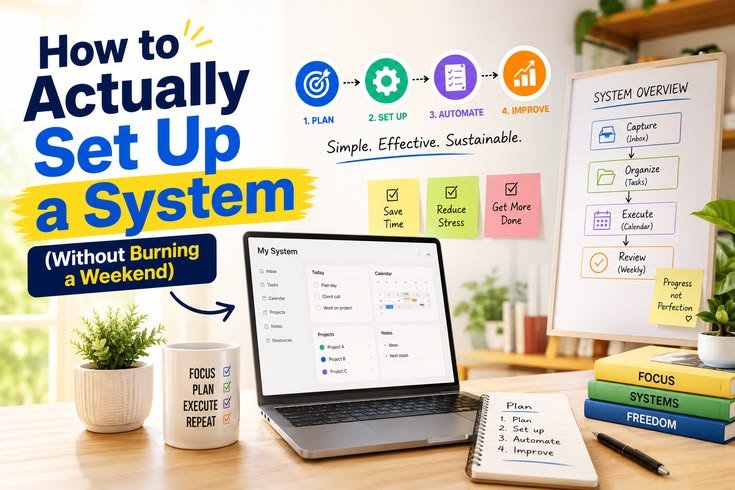
How to Actually Set Up a System (Without Burning a Weekend)
The biggest mistake people make is treating this like a project — spending Saturday building an elaborate productivity setup and then abandoning it by Wednesday. Here’s the approach that actually sticks:
- Start with just one new app, not five. Pick the category where your workflow breaks down most — focus, notes, time management — and fix that first.
- Use a template instead of building from scratch. Both Notion and Trello have free community templates. Start messy — you’ll adapt it to your needs naturally over two weeks.
- Connect your tools to your calendar. Most apps integrate directly with Google Calendar. Get your deadlines and sessions showing up in one place so you’re not switching between apps just to figure out what’s next.
- Set a two-week trial rule. Don’t evaluate an app after two days. Give it two full weeks of real use before deciding whether it stays or goes.
- Audit monthly, not daily. Spend 20 minutes once a month asking: “What’s actually working?” Kill what isn’t. Your system should get simpler over time, not more complex.
Quick tip: If you’re a student, always check whether an app has a free education tier before assuming you need to pay. Notion, Microsoft 365, and several others offer significant free access to verified students. A .edu email is basically a discount card for software.
Mistakes I Made (So You Don’t Have To)
App hoarding. I had six note-taking apps installed at one point. Notes ended up scattered everywhere. Pick one and commit.
Building the perfect system before using it. I spent three days setting up a “perfect” Notion workspace before taking a single actual note in it. Just start.
Ignoring privacy settings. Several AI apps quietly opt you into data training by default. Check settings on any app that processes your content or meetings.
Confusing “using an app” with being productive. Organizing your task list for 40 minutes is procrastination with extra steps. The app is the tool, not the work.
Upgrading too fast. The free tier of most apps here is genuinely enough. Don’t pay for features you haven’t needed yet.
One Thing Most Productivity Advice Gets Wrong
“The best productivity app is the one you actually open.”
Every roundup, including this one, risks making it seem like the right app is going to transform your habits. It won’t. Apps lower friction — they don’t replace discipline. A well-designed system still requires you to sit down and do the work.
What these tools do is remove the small frustrations that add up: hunting for a note from three weeks ago, missing a deadline because it was on a sticky note, sitting in a meeting and furiously writing while missing what’s actually being said. They give back small amounts of time and mental energy that compound into something real over a semester or a year.
The students and professionals who get the most out of these apps tend to have one thing in common — they kept their setups simple. Two or three apps, connected well, used consistently. Not a sprawling tech stack that takes longer to maintain than the work it’s supposed to support.
Final Thoughts
If I had to start from zero today, I’d set up Google Calendar first (five minutes, already have a Google account), add Notion with a student email for free, install Grammarly in my browser, and then — only once those three felt natural — consider adding a focus or time tracking tool.
That’s it. Four apps, built up gradually, beats a fourteen-app system assembled in a weekend and abandoned in a month. The goal isn’t to have a great productivity setup. The goal is to get things done with less friction and fewer 2 a.m. panic spirals.
Pick one thing from this list that solves your most annoying daily problem, and start there. Everything else can wait.




Pingback: How AI Is Helping Creators Make Videos, Images, and Music Faster Than Ever
Pingback: Why Foldable Phones From Samsung, OnePlus, and Honor Are Becoming More Popular Again
Pingback: Top Trending Tech News Stories Changing the Internet This Month
Pingback: Why AI Startups Like Anuma Are Trying to Build a Smarter Alternative to Traditional Chatbots – MSR Technical