
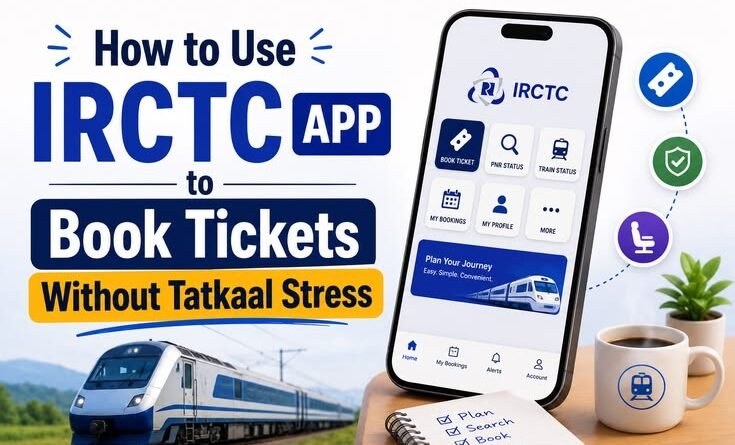
How to Use IRCTC App to Book Tickets Without Tatkaal Stress
By a guy who once missed his cousin’s wedding because of a waitlisted ticket
Let me tell you something embarrassing. Three years ago, I confidently boarded a train from Jaipur to Mumbai with a printed waitlisted ticket — WL 47 — fully convinced it would confirm by departure. It didn’t. The TC was not sympathetic. I stood near the pantry car for six hours until someone took pity and let me share their berth. That trip cost me dignity, sleep, and approximately 300 rupees in chai.
Since then, I’ve become borderline obsessed with IRCTC. Not because I enjoy it — nobody enjoys IRCTC — but because I’ve learned to work with its madness instead of against it. And the biggest lesson? You don’t always need Tatkaal. You just need to book smarter.
Here’s everything I know.
First, Let’s Talk About Why Tatkaal Feels Like a Trap
Tatkaal sounds like the perfect solution when you’re desperate. Extra money, guaranteed seat — what’s not to like?
A lot, actually.
The Tatkaal quota opens at 10 AM for AC classes and 11 AM for non-AC the day before your journey. The entire country knows this. So what happens at 10:00:01 AM? Absolute chaos. Thousands of users, bots from travel agents, spotty mobile data, IRCTC’s own server hiccups — all hitting at the same second. I’ve tried booking Tatkaal maybe fifteen times. I succeeded maybe four.
Also, the premium is real. A 3A ticket from Delhi to Kolkata that costs around ₹1,200 in normal quota can jump to ₹1,800+ in Tatkaal. And if you don’t get it in time, travel agents using automation tools often do — and some of those seats quietly appear on third-party sites at inflated prices.
So before you resign yourself to Tatkaal stress, let’s look at what actually works.
Step 1 — Download and Set Up the App Properly (Don’t Skip This)
Most people download the IRCTC Rail Connect app and jump straight to searching trains. That’s fine for casual browsing, but if you want smooth booking, you need to set things up in advance.
Open the app, go to your profile, and make sure these are already saved:
- Passenger details — Name, age, berth preference for every family member you travel with. Don’t type these during booking. Save them as a “Passenger List” under My Profile → Passenger List. One tap and they’re filled in.
- IRCTC iMudra wallet or UPI linked — Payment failure is the #1 reason bookings fall through at the last second. The payment gateway times out. Your OTP is slow. UPI intent fails. Pre-load IRCTC’s wallet with ₹500–1000 or keep your UPI app open in the background. I personally use PhonePe linked to IRCTC — it’s been the most reliable for me.
- Master List feature — If you travel with the same group regularly (family trips, office colleagues), save them all. Saves precious seconds.
This setup takes 20 minutes once and saves you a panicked scramble every single time.
Step 2 — Learn to Read Train Availability Like a Pro
Here’s something most casual users don’t know: availability is not static. It changes — sometimes hourly — because of cancellations, quota releases, and RAC conversions.
On the IRCTC app, when you search for trains, tap on a specific train and look at the class availability. You’ll see:
- AVAILABLE — Great, book immediately
- RAC (Reservation Against Cancellation) — This means you will travel but may share a berth. RAC almost always confirms by chart preparation if even one person cancels. I’ve booked RAC comfortably dozens of times.
- WL (Waitlist) — This is where people get burned. But not all waitlists are equal.
General WL vs PQWL vs GNWL:
GNWL (General Waitlist) is the healthiest. If you’re, say, GNWL 15, you have a good shot at confirmation on most popular routes. PQWL (Pooled Quota Waitlist) and RLWL (Remote Location Waitlist) — be very careful. These confirm far less frequently because they draw from a smaller quota pool.
There’s a third-party website called ConfirmTkt (also available as an app) that predicts confirmation probability based on historical data. I cross-check it every single time before booking a waitlisted ticket. It’s not perfect, but it’s saved me from booking hopeless WL tickets more than once.
Step 3 — The “Alternate Train” Strategy Nobody Tells You About
Before you cry about no availability on your preferred train, tap “Alternate Trains” at the bottom of your search results on the IRCTC app. Most people ignore this.
Here’s the thing — India has ridiculous train frequency on major routes. Delhi to Mumbai alone has 10–12 trains. Shift your departure by 2–3 hours and you’ll often find open seats in the exact same class. I’ve done this on the Rajdhani corridor and found confirmed tickets when the main train was fully booked, just by looking at departures 4 hours earlier or later.
Also try Quota options. On the availability screen, tap the quota dropdown. You’ll see options like:
- General Quota (default)
- Ladies Quota — if one of the passengers is female
- Senior Citizen Quota — 60+ for men, 58+ for women
- Divyaang Quota — for passengers with disabilities
These quotas are separate from the main pool. Senior citizen quota especially goes underutilized on many trains. My dad travels on senior quota almost exclusively — he almost always gets a lower berth confirmed.
Step 4 — If You Must Do Tatkaal, Here’s How to Actually Win
Okay, so nothing worked. Your date is fixed, the route is packed, and Tatkaal is your only option. Fine. Let’s do this properly.
Night before:
- Open the IRCTC app and search your train. Go all the way to the passenger details page but stop before payment. Some people actually save a half-filled booking session (though IRCTC clears these — so what you’re really doing is memorising exactly how many taps it takes to reach payment).
- Charge your phone fully.
- Confirm your payment method is working. Do a small UPI transaction of ₹1 to someone to test.
- Check your internet speed. If your home Wi-Fi is flaky, switch to mobile data. Jio and Airtel 5G have been noticeably faster for me on IRCTC than my home broadband on peak hours.
Morning of:
- Wake up by 9:45 AM.
- Open IRCTC app, log in, and have your search results already loaded.
- At exactly 9:58 AM, start navigating: search train → select train → select class → fill passengers (all pre-saved, remember?) → reach payment screen.
- At 10:00 AM sharp, submit. Don’t refresh. Don’t go back. Just tap and wait.
The difference between success and failure is often 15–20 seconds. Pre-filled passengers and a ready payment method are your real advantage here, not luck.
One honest warning: even doing everything right, you may fail. The servers genuinely buckle. On days when I can’t get it myself, I sometimes call a local travel agent who uses authorized agent login — they have a slight edge on bulk booking infrastructure. It costs ₹50–100 extra as service charge, but sometimes it’s worth not losing your mind.
Step 5 — The Cancellation Goldmine (Seriously, Check This)
People cancel tickets. A lot of them. Especially 24–48 hours before departure when they realize their plans changed.
Between 6 PM and midnight on the day before your journey, open IRCTC and check availability again on your train. I’m not exaggerating when I say I’ve found confirmed 2A berths appearing on sold-out trains during this window. Chart preparation happens around 4 hours before departure, and right before that, a wave of last-minute cancellations often opens up seats.
This isn’t guaranteed, but it’s completely free to check and takes 2 minutes.
Common Mistakes That Cost People Tickets
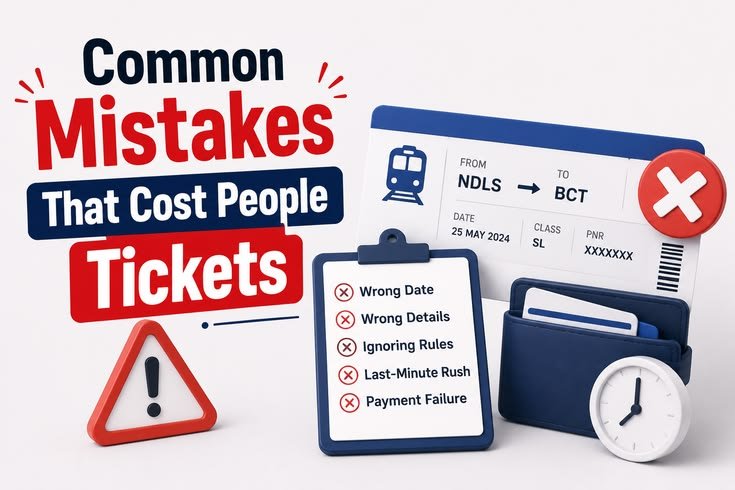
Waiting for “a better seat” — If you see your preferred class available, book it. Berth preference (lower/upper/side) can be noted but isn’t guaranteed anyway. People lose confirmed tickets waiting to see if a lower berth opens up.
Booking on the IRCTC website on mobile browser — Just don’t. The app is genuinely faster and more stable for mobile bookings. The website is fine on a desktop with good internet.
Ignoring the waitlist movement chart — Under a waitlisted ticket in “My Bookings,” there’s a WL movement chart. Check it 48 hours before travel. If your WL isn’t moving, cancel early. You’ll get a better refund, and you can explore other options.
Letting the session time out — IRCTC logs you out aggressively. If you’re mid-booking and step away, you’ll lose the seat. Stay focused once you start.
A Few Features on the App Most People Never Use
- Train running status — Real-time location of any train. Genuinely useful and surprisingly accurate.
- PNR Status with coach position — Shows where your coach will stop on the platform. Game-changer at large stations like NDLS or CST.
- Food ordering — Works on select routes. Not fancy, but decent for a hungry journey.
- Platform ticket booking — Yes, you can book platform tickets on the app now. No more queue at the counter.
What I Actually Do Now Before Every Trip
My routine is simple. I check availability 60–90 days before the journey (that’s when tatkal stress is completely avoidable — just book early in general quota). If it’s a last-minute trip, I check alternate trains first, then RAC availability, then quota options, then consider Tatkaal as a final option.
IRCTC will never be a pleasant app. The UI is clunky, the servers have bad days, and the OTP system has probably caused more grey hairs than actual train journeys. But once you stop fighting it and start working around its quirks, it becomes manageable.
And for what it’s worth — I made it to my sister’s wedding last December. Booked 45 days in advance, 2A, confirmed lower berth. Sometimes boring and early is the best travel strategy of all.
Got a Tatkaal survival story or a trick that worked for you? Drop it below — I’m always curious what’s working for other travelers.