
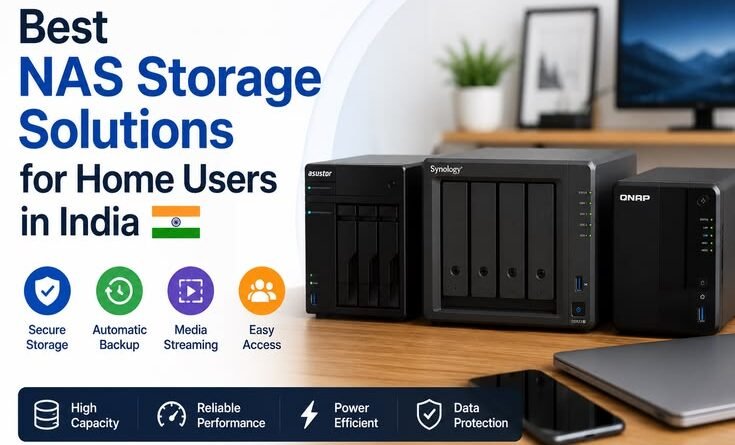
Best NAS Storage Solutions for Home Users in India
Best NAS Storage Solutions for Home Users in India (From Someone Who Lost 6 Years of Photos)
I’ll be honest — I never thought about a NAS device until the day my 4TB external hard drive decided to stop working. Just like that. No warning, no weird sounds, nothing. One morning it showed up as “unrecognized device,” and inside it were six years of vacation photos, my kid’s school videos, project backups, and a bunch of stuff I’d never backed up anywhere else.
After spending ₹4,500 at a data recovery shop and getting back maybe 60% of the files, I promised myself I’d never rely on a single drive again. That’s when I started seriously looking into NAS — Network Attached Storage. And honestly, it changed how I manage data at home completely.
If you’re reading this because you’re worried about the same thing, or you’ve just accumulated too much data across too many devices, stick around. I’ll walk you through what actually makes sense for a home user in India — not just spec sheets, but real-world stuff.
What Even Is a NAS, Simply Put?
Think of a NAS as your personal cloud server sitting in your house. It’s a small box where you slot in hard drives, connect it to your Wi-Fi router, and then every device in your home — phone, laptop, smart TV — can access files from it. No monthly subscription to Google One or iCloud. Your data, your hardware, your control.
The beauty of it for Indian users specifically? Our internet upload speeds are still inconsistent in a lot of cities, and cloud storage is getting expensive. A one-time NAS investment often pays for itself within two to three years compared to paying for cloud plans.
The Devices Worth Considering Right Now
Let me break down the options I’ve personally researched or used, across different budgets.
Synology DS223 — The One I Actually Use
This is a 2-bay NAS and it’s what I’d recommend for most families. I picked mine up for around ₹22,000 (without drives). The interface — called DiskStation Manager (DSM) — is genuinely one of the best software experiences I’ve had on any storage device. Setting it up took maybe 45 minutes, and I’m not a networking expert.
The killer feature? The Synology Photos app. It automatically backs up photos from everyone’s phone at home over local Wi-Fi. My wife’s iPhone, my Android, my parents’ phones when they visit — everything syncs. It even does face recognition and creates albums automatically.
One thing nobody tells you upfront: don’t cheap out on the drives. I made that mistake first, bought two off-brand 4TB drives from a local shop, and within three months one started throwing errors. Replace them with Western Digital Red Plus or Seagate IronWolf drives — these are made for NAS and run 24/7 without complaining. Budget around ₹7,000–9,000 per 4TB drive.
QNAP TS-233 — The Budget Pick
If the Synology feels like a stretch, the QNAP TS-233 is around ₹14,000–16,000 and does the job for basic file storage and streaming. The software isn’t as polished as Synology’s, but it works. The QFile app lets you access files remotely from your phone. Good starting point.
Synology DS923+ — For Power Users
If you’re working from home, editing videos, or running a small home business with more than two family members, this 4-bay unit is a significant step up. It supports up to 108TB of raw storage and can handle Plex media server without breaking a sweat. I haven’t personally used this one, but a colleague who runs a photography studio swears by it. Price is around ₹45,000–50,000 before drives.
TerraMaster F2-212 — The Dark Horse
This one’s genuinely underrated and available on Amazon India for about ₹12,000–14,000. The hardware is solid for the price, though the TOS (TNAS Operating System) interface isn’t as intuitive. If you’re comfortable tinkering and want value, it’s worth a look. First-time NAS users might find it a bit rough around the edges.
RAID — What It Means and Why You Should Care
Most 2-bay NAS devices support RAID 1, which mirrors your data across two drives. So if one drive fails, the other has a complete copy. This is NOT a backup — it protects against drive failure, not accidental deletion or ransomware. For actual backup, you’ll want to also set up a sync to an external USB drive or use Synology’s Hyper Backup to send copies to an Amazon S3 bucket or Backblaze B2 (both are cheap for backups at ₹1–2 per GB/month).
I learned this distinction the hard way when I accidentally deleted an entire photo folder assuming RAID had me covered. It doesn’t protect against your own mistakes.
Setting Up Remote Access in India — The Reality
Most ISPs in India give you a dynamic IP address, which means if you want to access your NAS from outside your home, the IP changes. Solutions:
- DDNS (Dynamic DNS): Synology provides this for free through QuickConnect — you get a URL like
yourname.synology.methat always points to your device. Works well most of the time. - Tailscale: This is what I switched to eventually. It’s a free VPN mesh that lets you access your home network remotely from anywhere, securely. Takes about 20 minutes to set up and works brilliantly.
- Airtel and Jio users: If you’re on CGNAT (many Jio broadband plans are), your router doesn’t get a real public IP. This blocks direct remote access. Tailscale works around this problem elegantly.
What About Plex and Media Streaming?
This is where a NAS becomes genuinely fun. Once I loaded all my movie collection onto the Synology, I set up Plex Media Server on it. Now our smart TV, phones, and tablets all stream from the NAS at home like a private Netflix. For Indian users who have large collections of regional content — Tamil, Telugu, Malayalam, Marathi films — this setup is gold.
One practical note: the DS223 uses an ARM processor, which means Plex can stream but won’t do transcoding-heavy tasks well. If you have many simultaneous viewers or 4K content, either go for the DS923+ (x86 processor) or make sure your player can direct-play the files without transcoding.
Mistakes to Avoid
A few things I wish someone had told me before I started:
Don’t buy a NAS without budgeting for drives. I see people comparing a ₹14,000 TerraMaster to a ₹22,000 Synology without realizing drives are separate. Budget ₹15,000–20,000 minimum for a decent 2-bay setup with drives included.
Don’t expose your NAS directly to the internet. I went down a YouTube rabbit hole and briefly had mine port-forwarded. Within 48 hours I was seeing login attempts from IPs in Russia and China. Close those ports. Use QuickConnect or Tailscale instead.
Don’t ignore drive health monitoring. Both Synology and QNAP have built-in S.M.A.R.T. tests. Run them monthly and set up email alerts. You want to know a drive is dying before it actually dies.
Don’t assume your Wi-Fi is fast enough. If your NAS is connected over Wi-Fi instead of Ethernet, you’ll hit a wall when transferring large files. Run a LAN cable from the router to the NAS — it makes a massive difference. I went from 20 MB/s to 110 MB/s after doing this.
Who Should Actually Buy a NAS?
Honestly, a NAS isn’t for everyone. If you have less than 2TB of data and a good internet connection, Google One or iCloud might genuinely be easier and cheaper. But if any of these sound like you — a lot of photos and videos piling up, multiple devices at home, a growing movie collection, working from home with important project files, or just a deep discomfort with your data sitting on someone else’s servers — a NAS pays for itself quickly.
The sweet spot for most Indian home users is a Synology DS223 with two 4TB WD Red Plus drives. You’re looking at a one-time spend of around ₹38,000–42,000, and you get roughly 4TB usable storage (RAID 1), remote access, automatic phone backups, and a dead-simple interface. Compared to ₹1,299/month for 2TB on iCloud, that pays itself off in under three years — and you own it completely.
Wrapping Up Practically
After two years of running a NAS at home, I genuinely wonder how I managed before. The peace of mind alone is worth it — knowing that even if a hard drive fails, I’m not scrambling to a recovery shop again.
Start small if you’re uncertain. A 2-bay Synology or QNAP with two drives is a perfectly capable setup that most home users will never outgrow. You can always add more drives or expand to a bigger unit later. Just don’t wait for a drive failure to push you into action. That’s usually a very expensive and emotionally awful way to learn this lesson.