
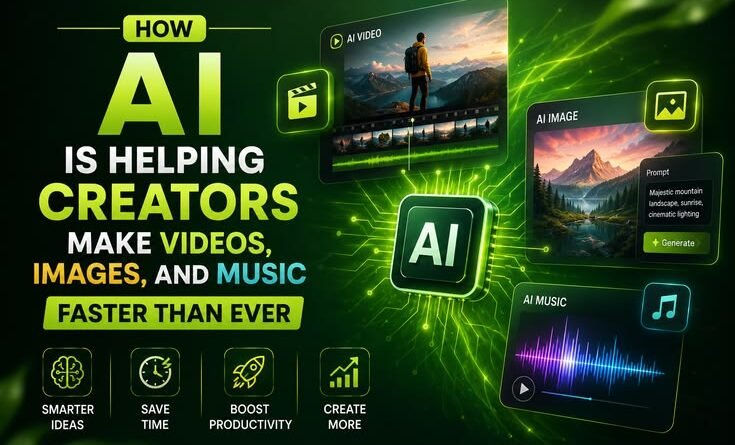
How AI Is Helping Creators Make Videos, Images, and Music
To be honest — the first time I used an AI tool to generate a thumbnail for my YouTube channel, I felt a little guilty. Like I was cheating somehow. I spent twenty minutes tweaking a prompt in Midjourney, got something that looked better than anything I’d designed in Canva after two hours, and sat there staring at it thinking, should this have been harder?
That was about eighteen months ago. Since then, I’ve watched AI go from a novelty that tech Twitter argued about to something quietly embedded in almost every creative workflow I know. Friends who make music, freelance designers, solo video editors running YouTube channels on the side — nearly all of them are using some form of AI assistance now. Not because they’re lazy. Because the old way of doing things had a brutal cost in time, and time is the one thing most creators never have enough of.
Let me walk you through what’s actually changed, what tools are worth your attention, and where people are still getting it wrong.
The Video Problem Nobody Talks About
If you’ve ever tried to make a decent YouTube video from scratch — script, record, edit, add music, design thumbnail, write description — you know the real killer isn’t talent. It’s the gap between having an idea on Monday and publishing something watchable by Friday. For most solo creators, that gap is where momentum goes to die.
AI has started to close that gap in some genuinely useful ways.
Scripting is where I noticed it first. I used to stare at a blank Google Doc for an hour before typing a single sentence. Now I’ll dump a messy brain-dump of ideas into ChatGPT or Claude, ask it to structure them into a rough script with a hook and three main points, and work from that. The output isn’t publish-ready — it still needs my voice, my examples, my personality. But having a skeleton to react to? That alone cuts my prep time by half.
Editing is where things got seriously interesting. Tools like Descript let you edit video by editing the transcript like a Word document. Delete a sentence from the text, and the clip disappears from the timeline. It sounds gimmicky until you’re cutting a 45-minute interview into a 12-minute video and you realize how much faster text is to navigate than scrubbing a timeline.
CapCut — which blew up partly because of TikTok’s ecosystem — has been quietly building out AI features that are actually practical. Auto-captions that are surprisingly accurate. Background removal without a green screen. Even auto-reframe, which crops your footage for vertical format without you manually adjusting every clip. It’s not magic, but it’s the kind of tedious-task elimination that used to eat hours.
Runway ML is in a different category altogether. Their Gen-2 model can generate short video clips from text prompts or extend existing footage. I’ve seen indie filmmakers use it to add establishing shots they couldn’t afford to film. Is the output perfect? No. Does it sometimes produce hands with too many fingers and physics that look slightly off? Absolutely. But for B-roll or abstract visual content, it’s already usable — and it’s improving fast.
Images: Where AI Went Mainstream First
This is probably the area that’s moved fastest and gotten the most attention — and the most controversy.
Adobe Firefly, Midjourney, Stable Diffusion, DALL-E — these tools have fundamentally changed what a solo creator can produce visually. A one-person blog that used to rely on stock photography that looked identical to every other blog in its niche can now generate custom, on-brand imagery for every post.
Here’s a practical example. A friend of mine runs a cooking newsletter. She used to spend about $30 a month on stock photos and still felt like the visuals never quite matched the vibe she was going for. She switched to generating images with Adobe Firefly (it integrates cleanly with tools she already used, and the content credentials system means the images are clearly labeled as AI-generated, which matters to her). Her newsletter looks noticeably more cohesive now. Same budget. Better results. Less time hunting through Shutterstock.
The part people often skip over: prompting is a learnable skill. Vague prompts produce vague images. The difference between “a photo of a coffee shop” and “a warmly lit independent coffee shop in the late afternoon, film grain, shallow depth of field, people working on laptops in the background, muted earth tones” is the difference between generic and atmospheric. Spending twenty minutes learning how to write better prompts pays off every single session after that.
Mistakes I’ve seen people make:
- Generating without a clear creative direction, then being disappointed the output looks random
- Using AI images without checking the licensing terms for commercial use (this varies significantly by tool and plan)
- Over-relying on the first output instead of iterating — most tools let you refine, and the third or fourth variation is usually better than the first
Music: The Quietest Revolution
This one surprises people the most. Video and image AI gets the headlines, but what’s happening in music production is arguably more transformative for everyday creators.
For years, the background music problem was annoying and expensive. You either paid for a music license, used royalty-free tracks that everyone recognized from a thousand other videos, or spent hours on sites like Epidemic Sound hoping something fit your vibe. If you actually wanted something that matched the exact mood and pacing of your content, you needed to either hire someone or learn music production.
Tools like Suno, Udio, and (for a different use case) Soundraw have changed this. With Suno, you can type a description — genre, mood, tempo, even instrumentation — and get a complete, original track in under a minute. I’ve used it to generate background music for short-form videos, podcast intros, and even a quick jingle for a friend’s Etsy shop. The results aren’t always Grammy-worthy, but they’re often genuinely good, and they’re original, which matters for copyright reasons.
Soundraw is better if you want more control over the structure — it lets you adjust energy levels by section, change the instruments, and trim to your exact video length. It’s become a go-to for creators who want something professional-sounding without the licensing headache.
One important nuance: the conversation around AI music and artist compensation is real and ongoing. If you’re building a serious creative business, it’s worth thinking about the tools you use and where they stand on sourcing and attribution. Some platforms are working with artists and pay royalties; others are murkier. Doing a quick search on a tool’s practices before relying on it heavily is worth the five minutes.
The Workflow That Actually Works

Based on what I’ve seen — and tested myself — here’s a rough AI-augmented creative workflow for a solo video creator that doesn’t require a huge budget:
- Idea → Draft Script: Use Claude or ChatGPT to structure your ideas. Give it messy notes, get back a skeleton.
- Script → Record: Still you. AI can’t do this part. And this part matters most.
- Rough Edit → First Cut: Descript or CapCut for transcript-based editing and auto-captions.
- B-roll & Visuals: Pexels for free footage, or Runway for generated clips where footage doesn’t exist.
- Thumbnail: Midjourney or Firefly for the base image, Canva for text and layout.
- Background Music: Soundraw or Suno, matched to the video’s mood.
- Description & Tags: Back to ChatGPT/Claude, giving it the script to extract SEO-relevant text.
The whole pipeline doesn’t eliminate the creative work. It eliminates the friction around the creative work, which is where most people actually get stuck.
What AI Still Can’t Do
Let me be straight with you: AI does not replace creative judgment. It’s extremely good at volume and speed. It’s not good at knowing which idea is actually worth making. It’s not good at the specific lived experience that makes a piece of content feel true and personal. It can’t replicate the observation you made at a coffee shop, or the weird specific analogy that only works because of something from your own life.
The creators I’ve watched thrive with AI are the ones treating it like a very fast, very capable assistant who needs clear direction. The ones who struggle are either afraid to touch it at all, or so dazzled by the speed that they stop thinking critically about the output.
AI-generated content is easy to spot when the person using it stops editing and starts just publishing. The tell is usually that it’s technically competent but oddly flat — no friction, no mistakes, no personality. Readers and viewers notice, even if they can’t name exactly what’s off.
A Few Tools Worth Bookmarking
- Descript – video editing via transcript, great for interviews and talking-head content
- Runway ML – AI video generation and editing, more experimental
- CapCut – free, practical, strong for short-form creators
- Adobe Firefly – AI image generation with cleaner commercial licensing
- Midjourney – higher ceiling for artistic quality, steeper learning curve
- Suno / Udio – text-to-music generation, genuinely impressive
- Soundraw – structured AI music with more editorial control
- Descript / Whisper (via tools) – AI transcription that’s fast and accurate
Where This Is All Going
I think we’re about two years away from a single creator with a clear vision being able to produce content that looks like it came from a small studio. Not because the AI will do it for them — but because the AI will handle enough of the mechanical, time-consuming parts that the creative person can focus all their energy on the ten percent that actually requires human judgment and originality.
That ten percent, by the way, becomes more valuable as AI handles everything else. The idea, the voice, the perspective, the specific human weirdness that makes something worth watching — none of that is going anywhere.
The creators who figure that out earliest will have a significant advantage. The ones who treat AI as a replacement for thinking will produce content that blends into the noise.
Use the tools. Just don’t forget why you started making things in the first place.




Pingback: Best Upcoming Laptops for Students and Creators in 2026
Pingback: How AI Automation Tools Are Helping Businesses Save Time and Reduce Workload – MSR Technical